Customer Tracker
Customer approvals
You can request approval from your customer on any step — useful for sign-off on quotes, designs, scope changes, or completed work before moving forward.
Enabling approval on a step
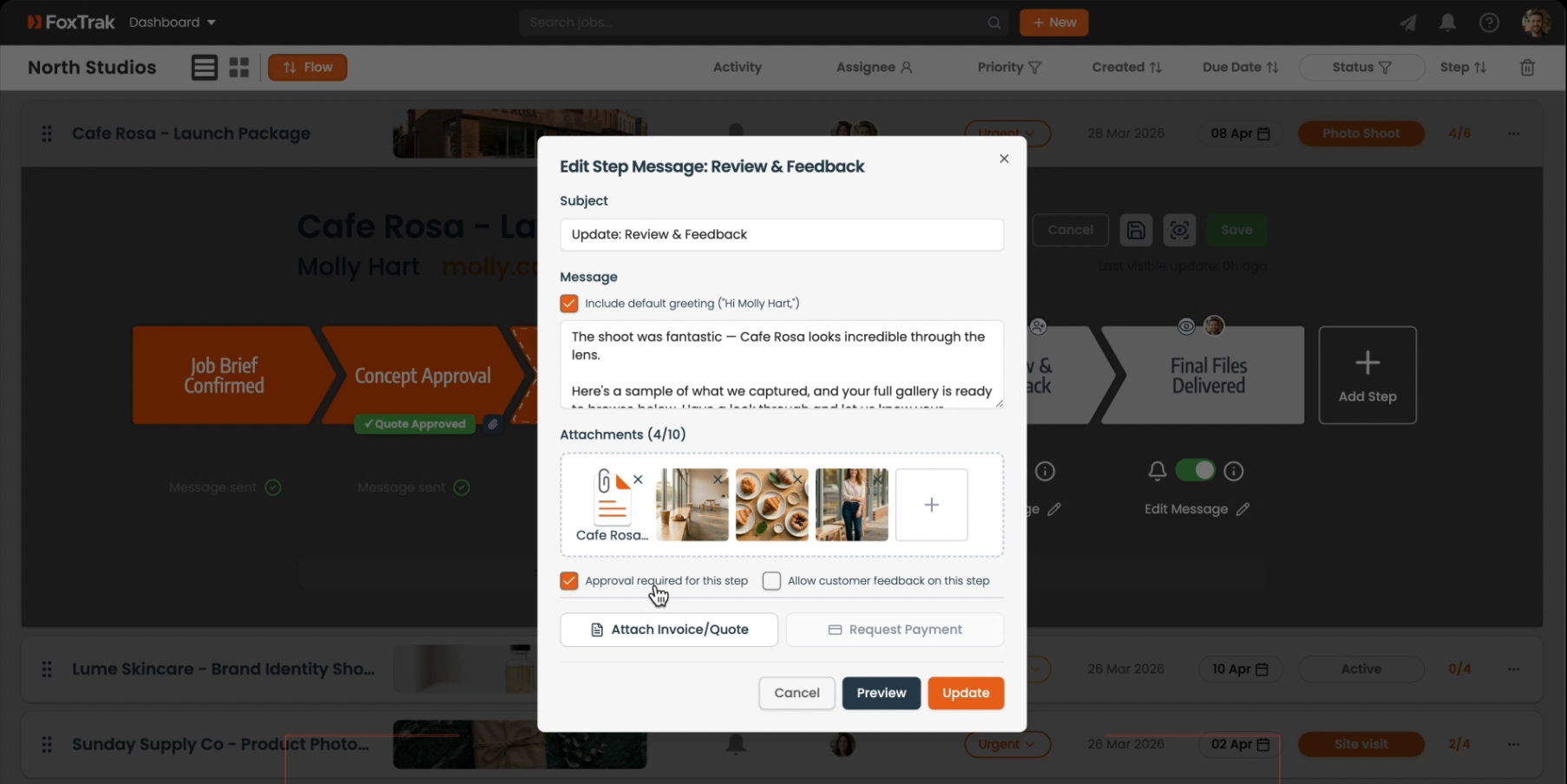
- Open a step's message editor
- Check Approval required for this step
- Click Update to save
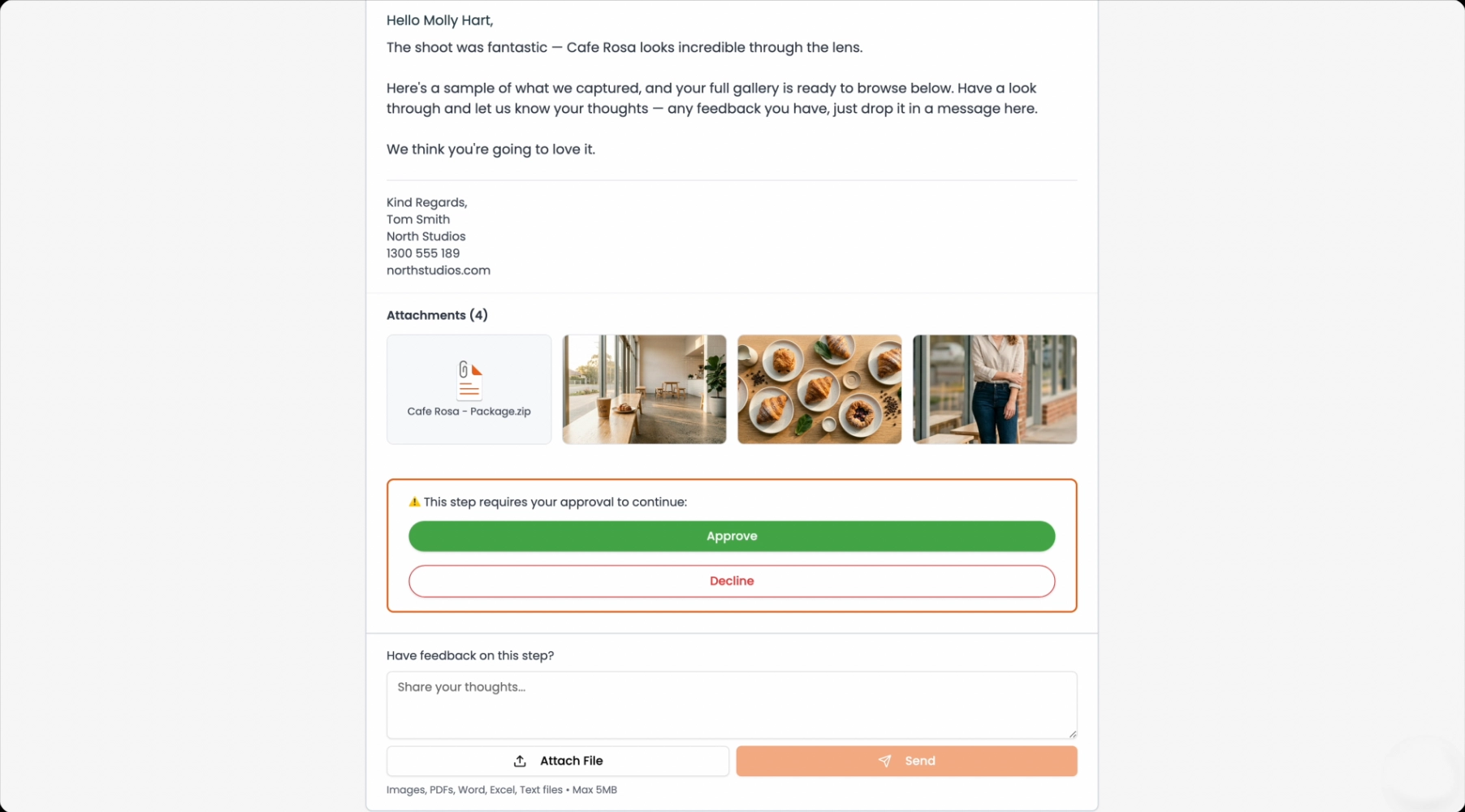
When you update the step the customer's tracker shows Approve and Decline buttons on that step.
What happens when a customer approves
The step updates to show an Approved badge in your job view. You're notified immediately and the approval is recorded in the job's activity feed.
What happens when a customer declines
The customer is prompted to enter a reason for declining. The reason is captured and shown in the activity feed so you know exactly what the issue is.
Approvals are a great way to get documented sign-off before starting expensive work or issuing a final invoice — protecting both you and the customer.