Customisation
Theme (light / dark)
FoxTrak supports light mode, dark mode, and a system mode that follows your device's preference automatically.
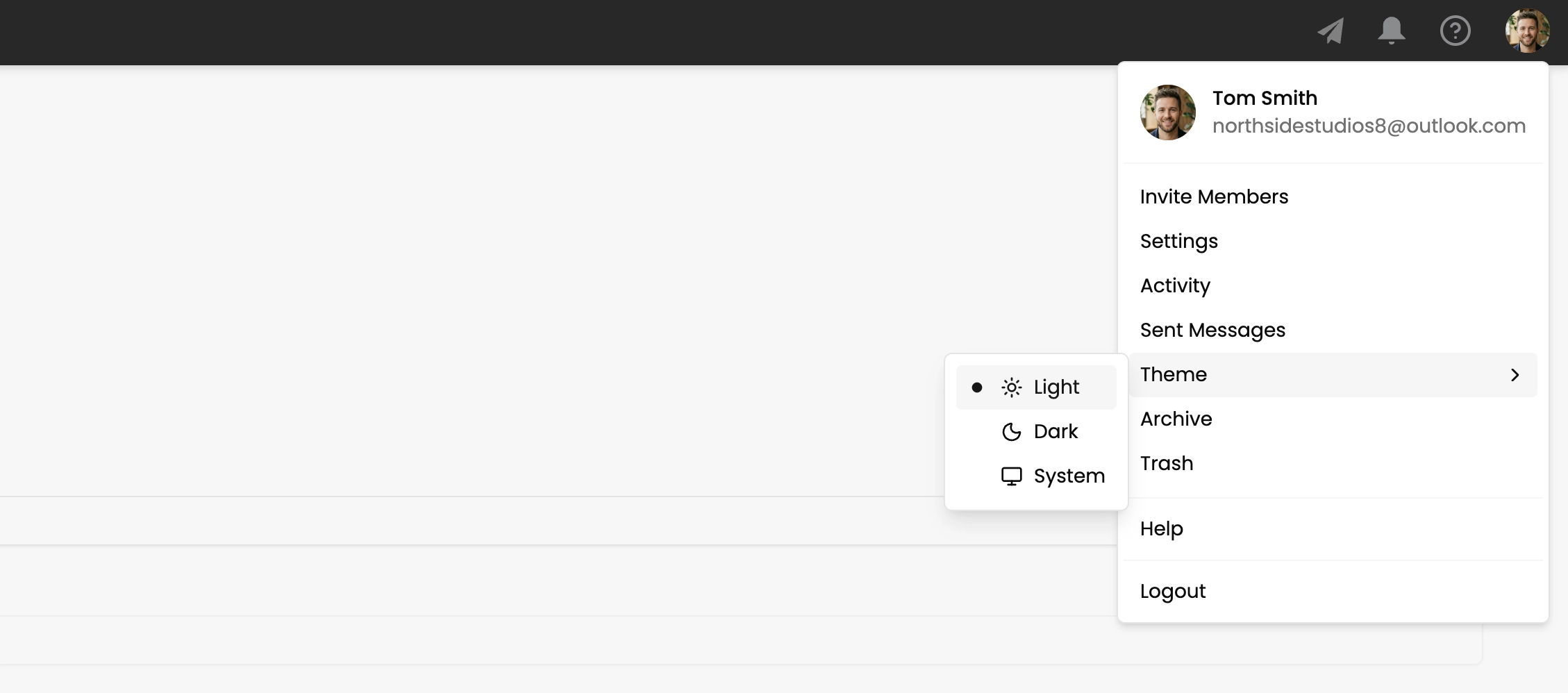
Changing your theme
- Click your profile image in the header
- Find the theme selection in the dropdown
- Select Light, Dark, or System
Your selection is saved and applied every time you open FoxTrak.
System mode
System follows your operating system's dark mode setting and updates dynamically — if you switch your OS to dark mode at night, FoxTrak follows automatically.
Theme is a personal preference — each team member can set their own independently. It doesn't affect what other team members or customers see.