Jobs & Workflow
Job locking
FoxTrak uses a locking system to prevent two people from editing the same job at the same time - avoiding conflicts and overwritten changes.
How locking works
When you open a job to edit it, FoxTrak places a lock on that job for you.
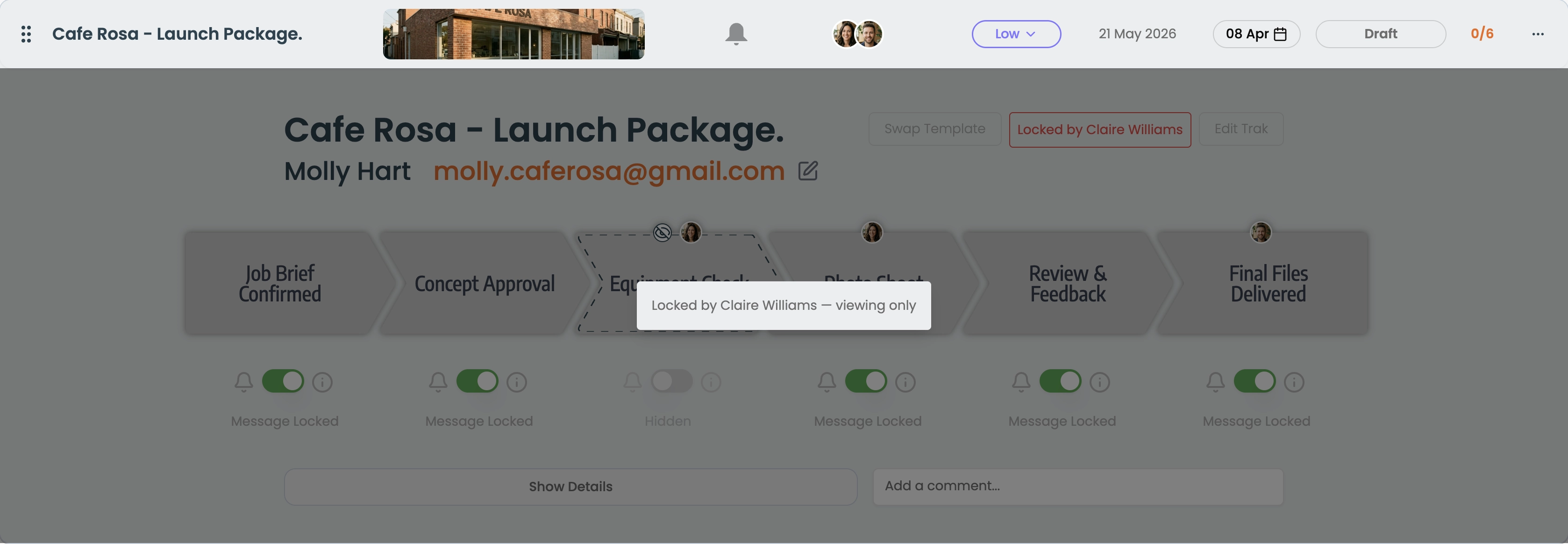
If another team member tries to open the same job for editing, they'll see a "Locked by [name]" message and editing will be blocked until the lock is released.
When locks release
A lock is released automatically when you close the job panel, or when it expires (30 seconds of inactivity). If a lock has expired, it can be taken over by another user automatically.
Job locking only applies to editing - anyone on the team can view a locked job at any time. Only the editing action is restricted.