FoxTrak vs ServiceM8, Simpro, Jobber, and Tradify: what's actually different
One tap moves the job, notifies the team, and informs the customer, all from the same action.
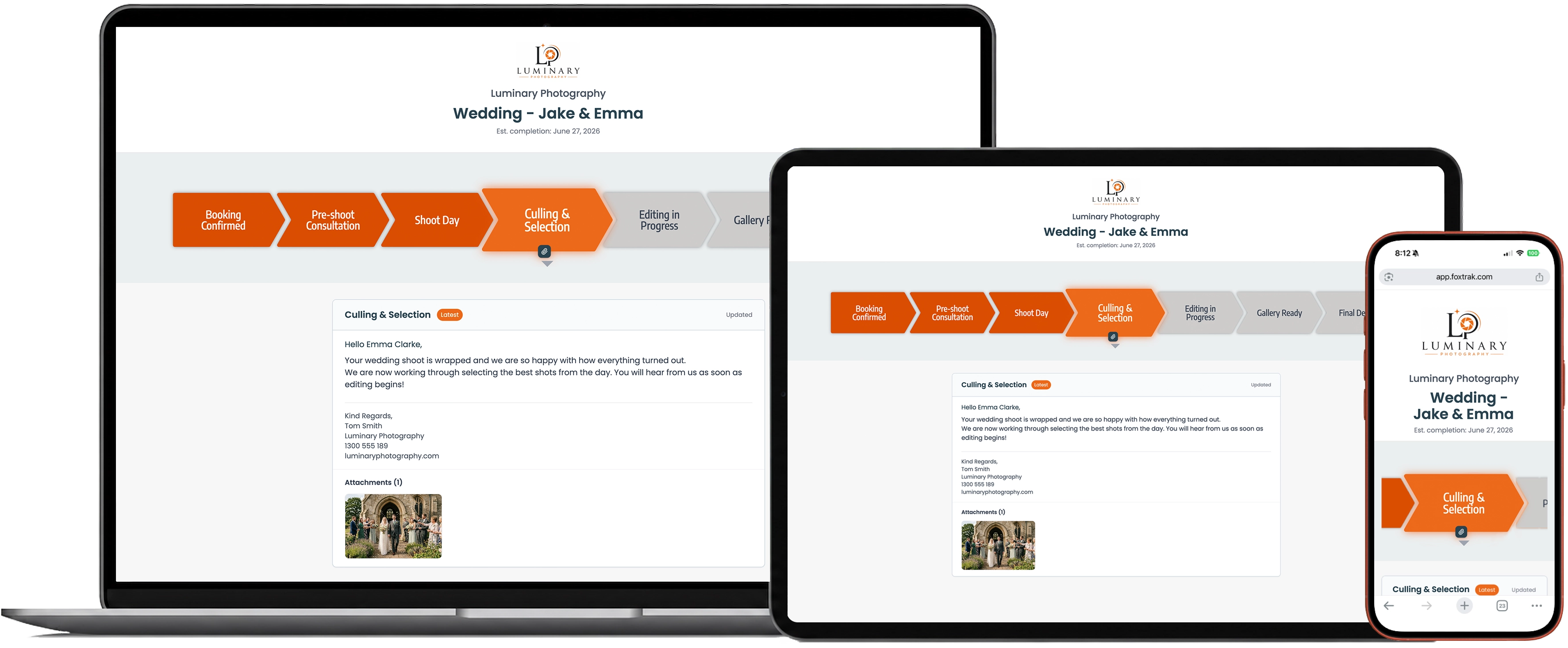
One tap moves the job, notifies the team, and informs the customer, all from the same action.
Most job management software treats the customer view as something extra to maintain. The team updates the job. Then someone has to separately update a portal, or send a message, or make a call to let the customer know what's happening. That's three actions for one status change, and it's the reason customer portals often get skipped once a business gets busy.
FoxTrak works differently. One tap moves the job, notifies the team, and informs the customer, all from the same action. There's no separate step for "telling the customer." The update is the notification.
This is the core thing to understand about FoxTrak: it isn't a portal bolted onto a job system. The tracker the customer sees and the workflow the team uses are the same thing, viewed from two sides.
FoxTrak is the job management platform your customers can see. It's built for trades and service businesses that want their customers to know what's happening with a job without needing to call, email, or chase an update.
A business runs jobs through stages (for example: booked, in progress, quality check, ready, complete). As the team moves a job through those stages, the customer automatically sees progress on a branded tracking page and receives notifications by SMS or email. No separate update has to be typed out.
ServiceM8, Simpro, Jobber, and Tradify are field service management platforms. They're built around running the operational side of a service business: scheduling, dispatch, job costing, and timesheets. Customer visibility is typically a smaller part of a much larger system.
FoxTrak manages the customer experience of a job rather than the internal operations of running a business. Quotes and invoices can be created directly in FoxTrak and synced with Xero, and customers approve quotes and pay invoices from their own tracking page via Stripe. The two sets of tools solve different problems and work well together: a business can run scheduling and dispatch through a field service platform while FoxTrak handles the live customer-facing side. FoxTrak is also capable of running as a standalone job system for businesses that don't need heavy field service management, particularly project-based ones like jewellers, photographers, screen printers, and custom makers.
| Focus area | ServiceM8 / Simpro / Jobber / Tradify | FoxTrak |
|---|---|---|
| Job update = customer notified | Usually a separate step | Same action, always, no extra work |
| Customer tracking, no login or app | Typically requires an account or app | Core focus, included by default |
| Complete timestamped job record | Varies by plan | Every step, message, approval and payment, included by default |
| Customer progress visibility | Secondary feature | Core focus |
| Quoting and invoicing | Core focus | Created in FoxTrak or synced from Xero; customer approves and pays in their tracker via Stripe |
| Scheduling and dispatch | Core focus | Not FoxTrak's focus, works alongside a platform that does this |
| Inventory management | Core focus | Not FoxTrak's focus |
No. FoxTrak focuses on customer-facing job tracking and notifications rather than scheduling, dispatch, or inventory. It's commonly used either on its own by project-based businesses, or alongside a field service platform as the customer communication layer.
No. Updating a job's status in FoxTrak is the same action that updates the team and notifies the customer. There's no separate portal to maintain and no extra message to send.
For businesses that mainly need job tracking, customer communication, quoting, and invoicing rather than scheduling or dispatch, yes, FoxTrak can run as the only system. For businesses that rely heavily on scheduling, dispatch, or inventory management, FoxTrak is better used alongside one of those platforms as the customer-facing layer.
Most customer portals are a separate layer that staff have to keep updated. FoxTrak's tracker is generated from the same workflow the team already uses, so it updates itself the moment the team moves a job forward.
Trades and service businesses that want customers to feel informed without adding admin work. This includes painters, jewellers, photographers, screen printers, and similar project-based businesses, as well as larger service businesses that want a better customer experience layered on top of their existing operations system.
One tap, job updated, team notified, customer informed. That's the whole mechanic, and it's the reason the customer-facing experience can be the main feature of the product rather than an afterthought.
See how it works on your own jobs.