Automatic reminders
FoxTrak can automatically follow up with customers who haven't responded to an approval request or paid an invoice — so you don't have to chase manually.
Automatic reminders
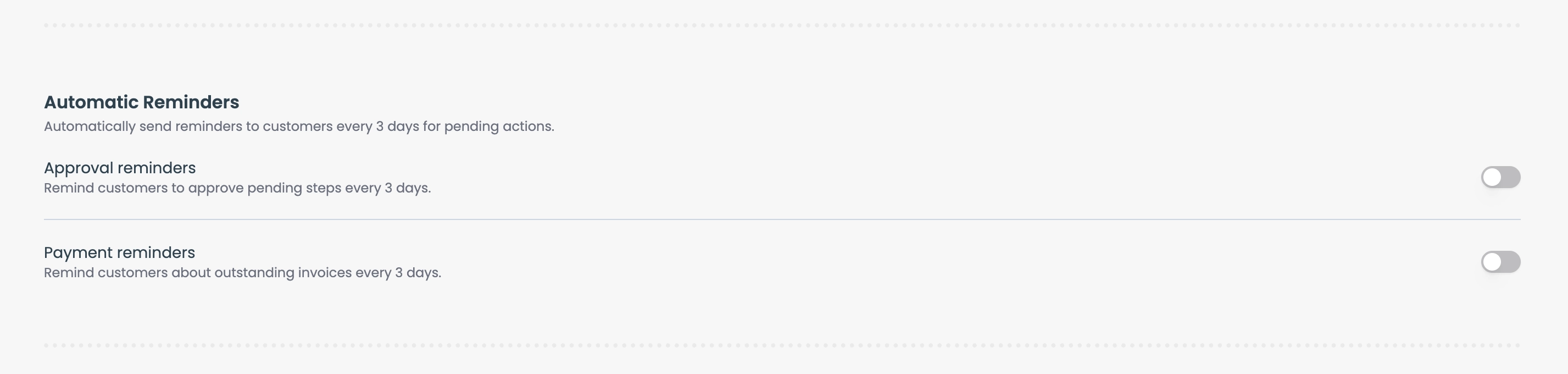
Two automatic reminder types can be enabled in Settings → Business Settings:
- Auto approval reminders — automatically follows up 3 days after an approval request if the customer hasn't responded
- Auto payment reminders — automatically follows up 3 days after a payment request if the invoice is still unpaid
Both are simple toggles — turn them on and FoxTrak handles the follow-up automatically.
Manual reminders
You can send an immediate reminder at any time without waiting for the automatic follow-up. Steps waiting on a customer response show a Pending Approval or Awaiting Payment badge — click the badge to open a dropdown, then click Send reminder.
The customer receives the reminder immediately. A confirmation badge appears on the step, and you won't be able to send another manual reminder for the same step for 24 hours.
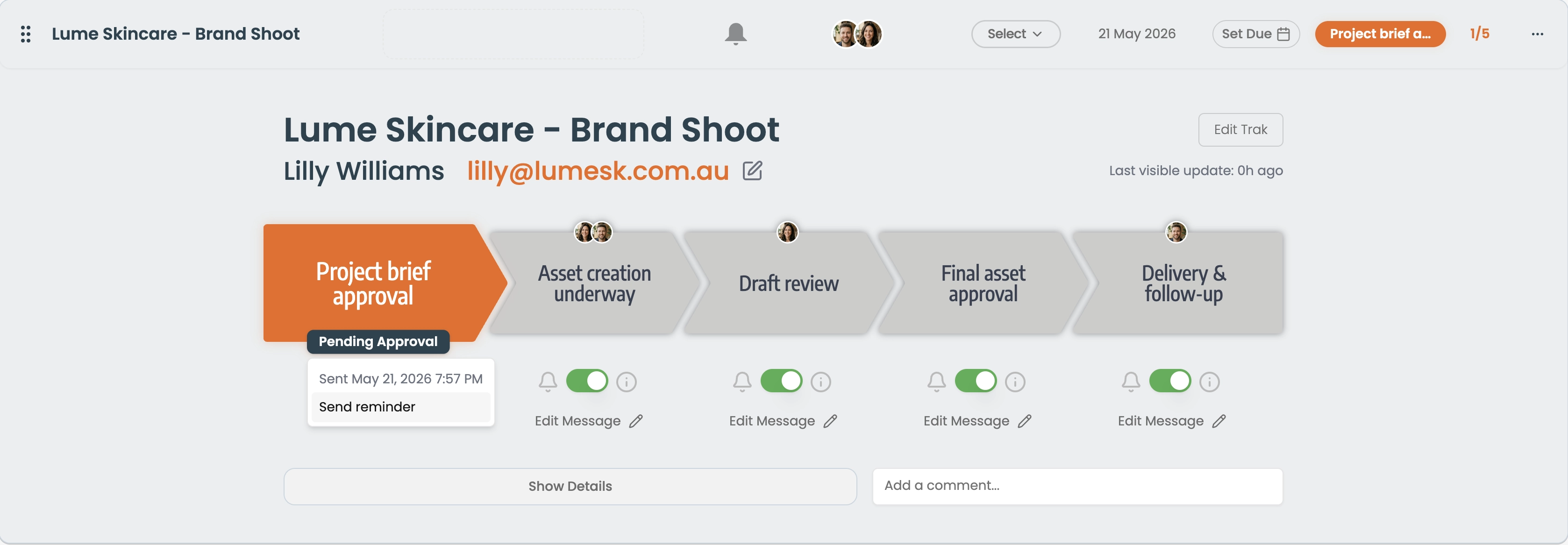
The dropdown also shows when the original message was sent — so you can see exactly how long ago the customer was last contacted before deciding whether to send a reminder.