Jobs & Workflow
Job status and archiving
FoxTrak tracks where every job is at automatically — so you always know what's active, what's complete, and what's still being set up.
Job statuses
A job moves through statuses automatically based on what's happening:
- Draft — the job has been created but no steps have been added yet. It won't appear on the customer tracker until it's active.
- Active — the job has steps and is underway. The status shown on the dashboard reflects the name of the current step — so if the step is called "On the way", that's what you'll see. As you complete steps, the status updates to the next one automatically.
There's no manual status to set — FoxTrak figures it out based on your steps.
Archiving a job
- On the job card click the Actions menu (three dots)
- Select Archive
- Confirm the action
Archived jobs move to the Archive view, which is only accessible to Admins. The job is preserved in full — nothing is deleted.
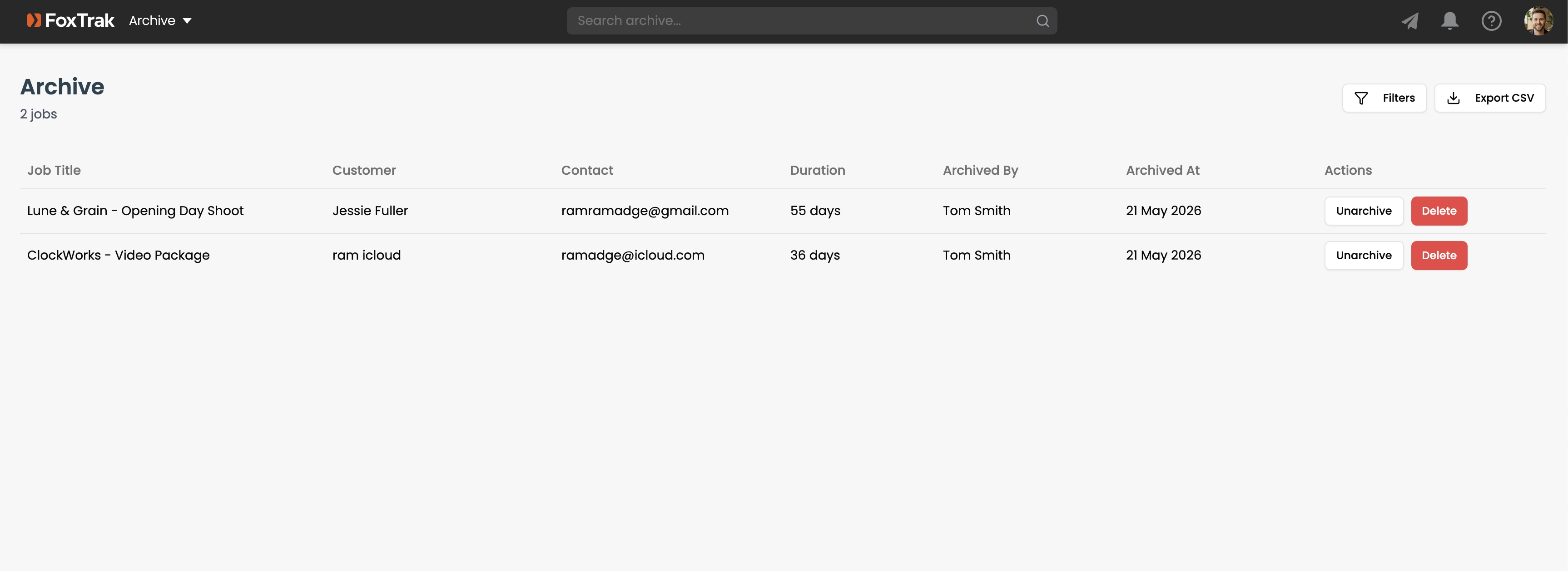
Unarchiving a job
Open the Archive view, find the job, and select Unarchive from the Actions menu. The job returns to your dashboard with its original status.
Archive jobs once they're fully wrapped up — invoiced, paid, and done. It keeps your dashboard focused on active work.