Customer Updates
Message read receipts
FoxTrak tracks the status of every message you send — so you can see whether it was delivered, and in some cases whether the customer has viewed it.
Viewing sent messages
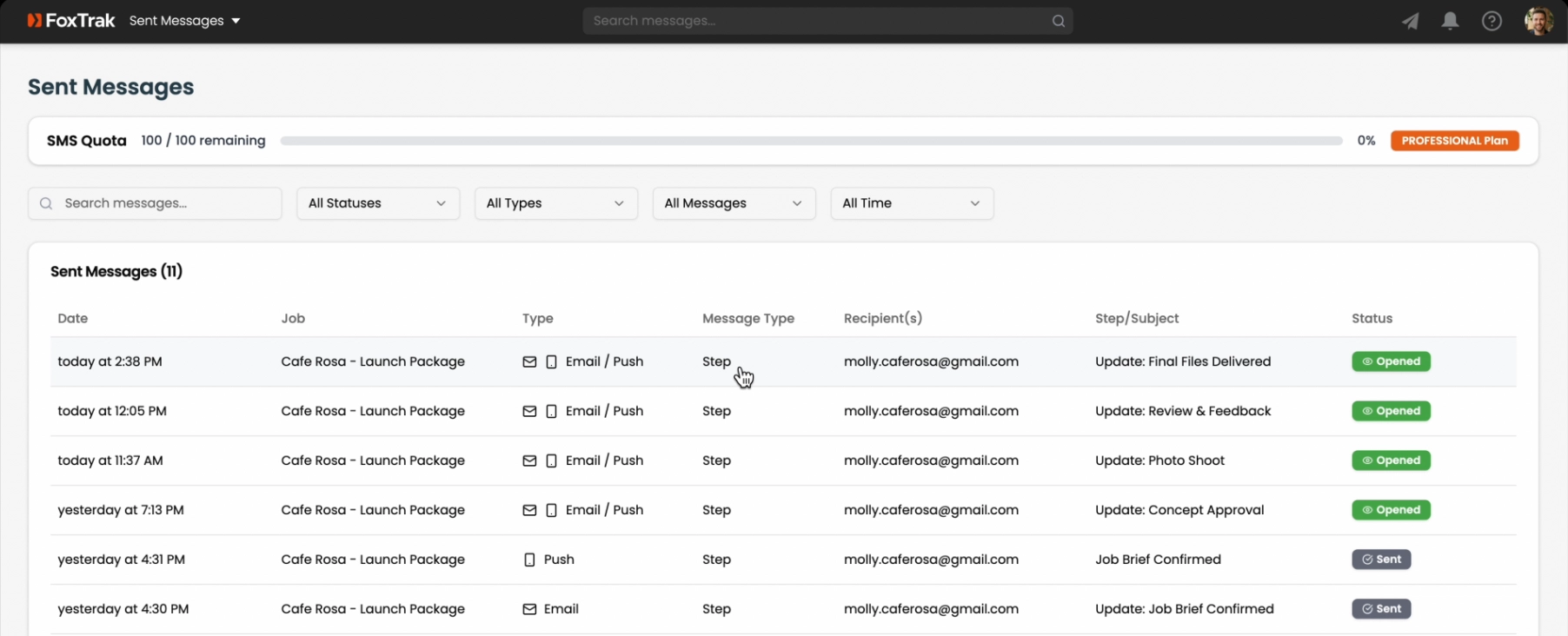
Go to the Sent Messages page. Every outbound customer message is listed here with its status per recipient.
Message statuses
- Sent — message dispatched successfully
- Delivered — confirmed received by the recipient's mail or phone carrier
- Opened — the customer has opened the email
- Pending — queued for delivery
- Failed — delivery failed (bad email address, invalid number, etc.)
- Bounced — email returned by the recipient's server
Viewing message content
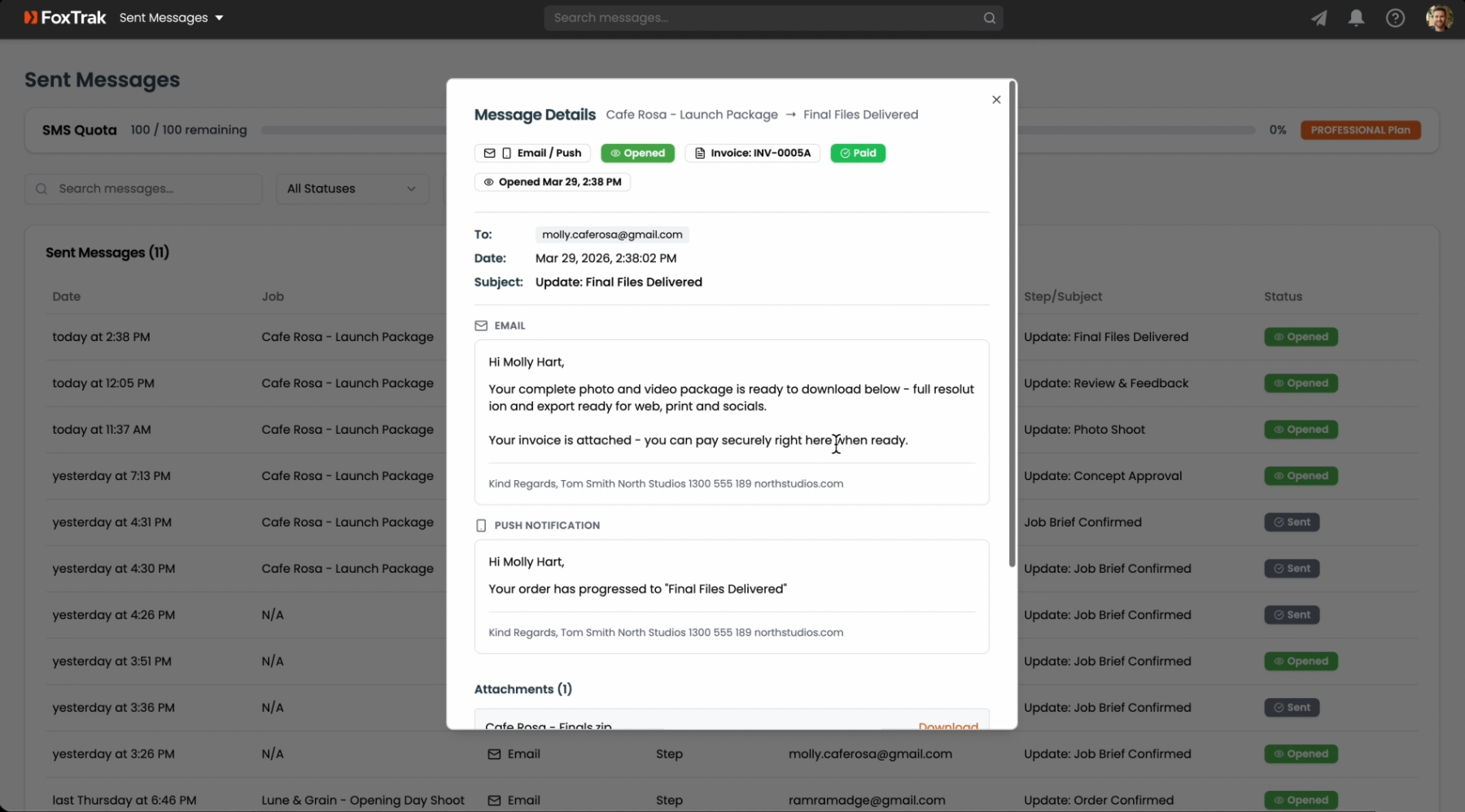
Click any row in Sent Messages to open a full preview of the message — exactly what was sent, including subject, body, and footer.
If a message shows as Failed or Bounced, check the contact details on the job — the email or phone number may need to be corrected.