Quotes, Invoices & Payments
Attaching a manual PDF quote or invoice
No Xero connection? No problem. You can manually attach any PDF quote or invoice to a step and send it to your customer directly.
Attaching a manual PDF
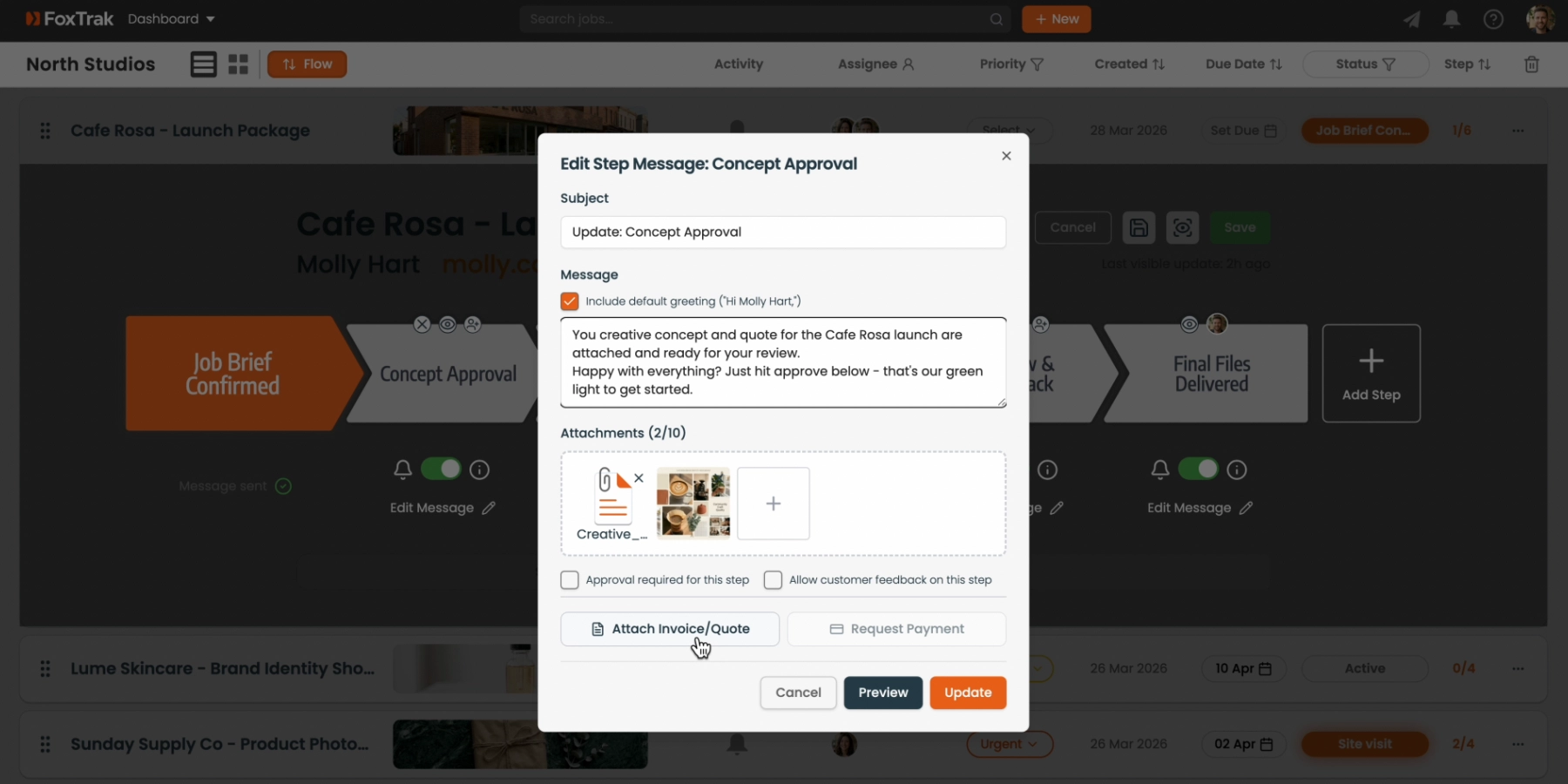
- Open a step's message editor and click Attach Invoice/Quote
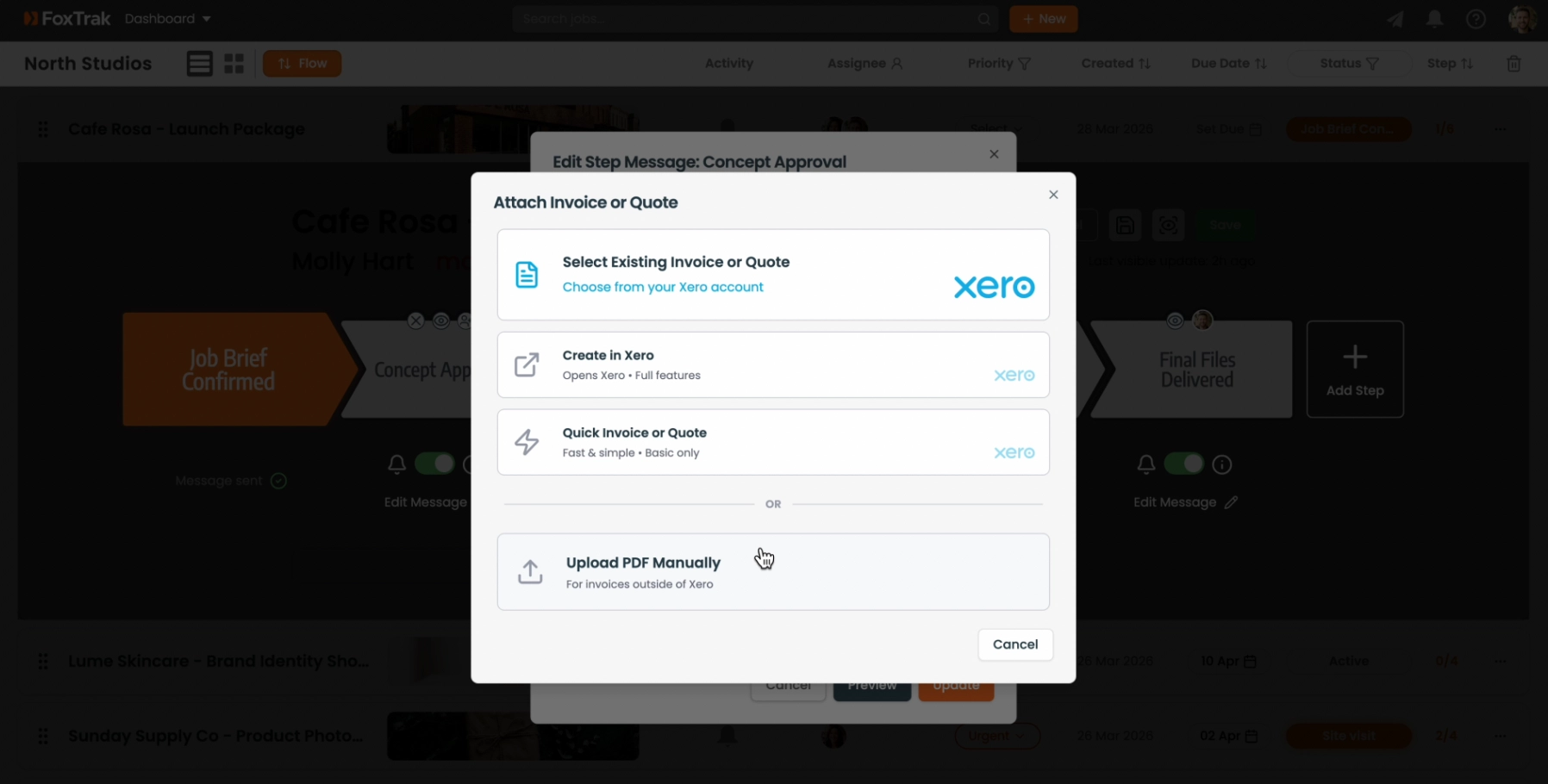
- Select the Manual option
- Drag and drop your PDF, or click to upload
- Enter the amount and due date
- Click Upload & Attach
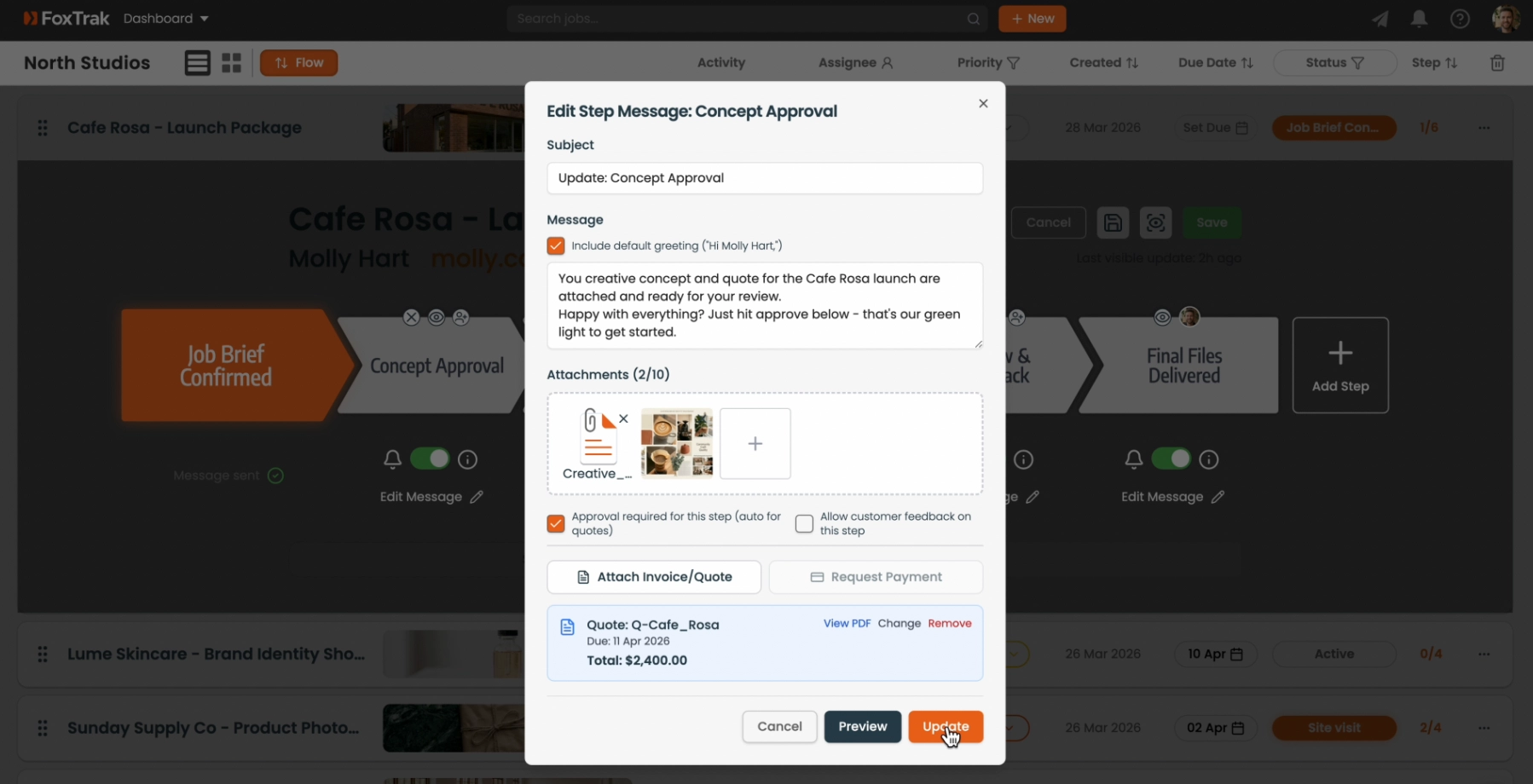
- Click Update to save the steps message
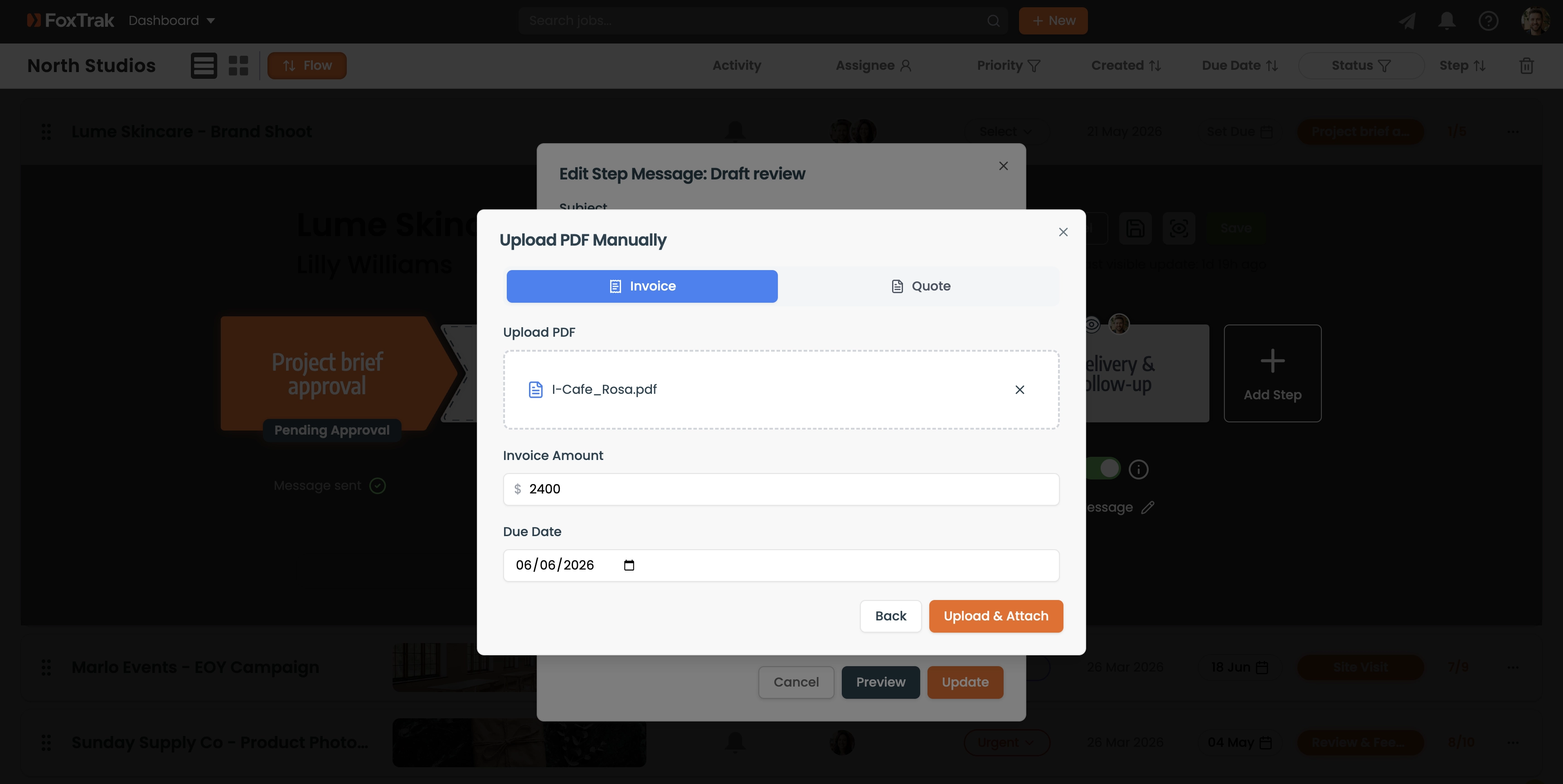
The filename and file size are shown as a preview once uploaded. Click Remove to clear the file and start again if needed.
Manual PDF attachment works on Essentials plan and above. You can attach any PDF — not just invoices. Use it for terms documents, inspection reports, or any file you want the customer to review.