Activity log and @mentions
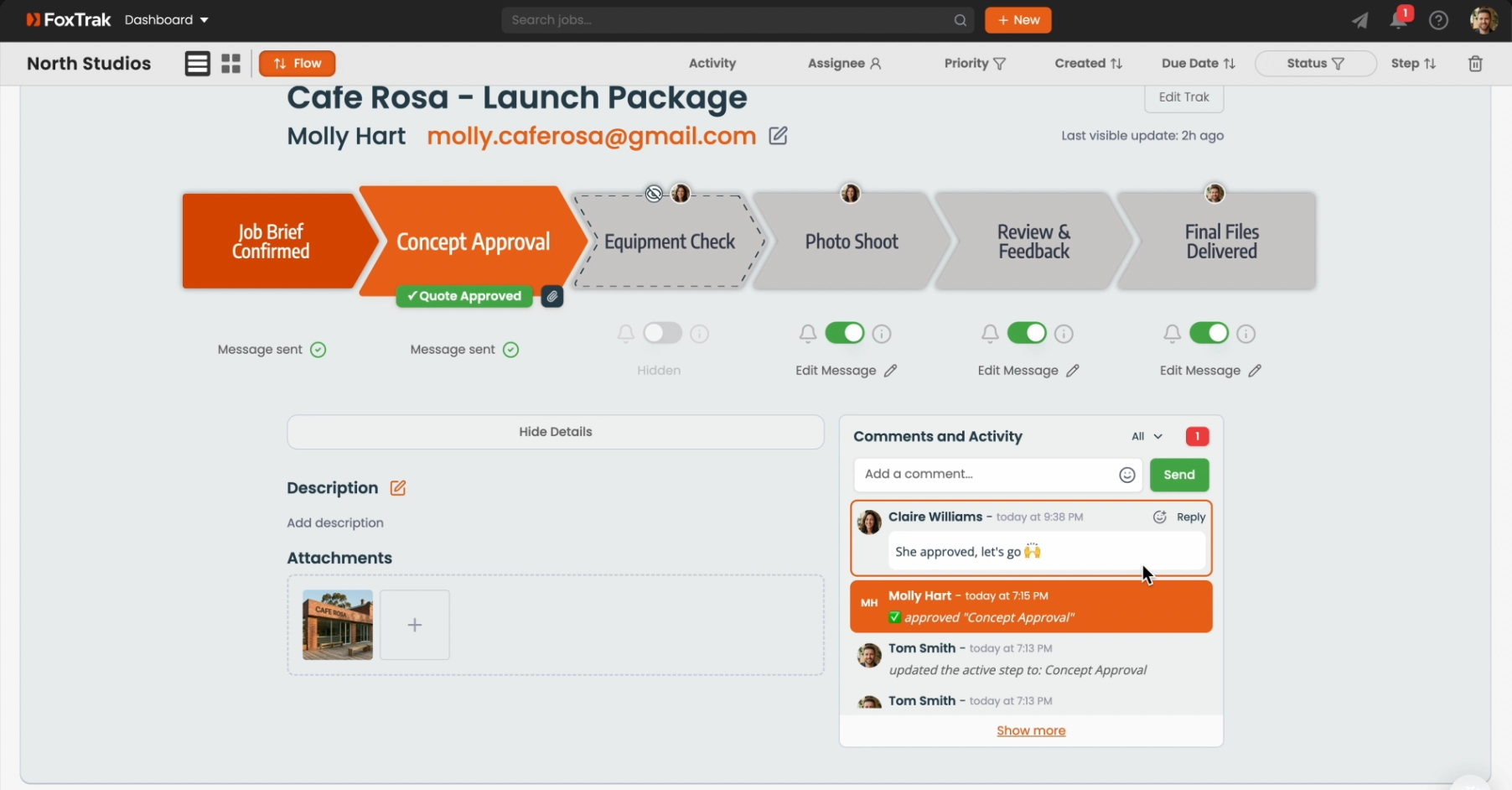
The Comments and Activity section is where your team communicates and collaborates inside a job — leaving notes, mentioning each other, and tracking everything that's happened. It's internal only, meaning customers never see it.
Viewing job activity
Open a job and go to the Comments and Activity section. All actions are listed in chronological order — who did what and when. This includes team actions and customer responses like approvals and feedback.
Leaving a comment
Type in the Add a comment… input at the top of the Comments and Activity section and press Enter or click Send. Comments are visible to all team members with access to the job — but never to the customer.
Mentioning a team member
Type @ followed by a name to mention someone. An autocomplete list will appear as you type — select the person to complete the mention. They'll receive a notification immediately, regardless of their other notification settings.
Business-wide activity
The Activity page shows all activity across every job in your business. You can filter by job, user, activity type, and date range, and search across all activity using the search bar.
You can edit or delete your own comments within 20 minutes of posting them.