In-job team chat
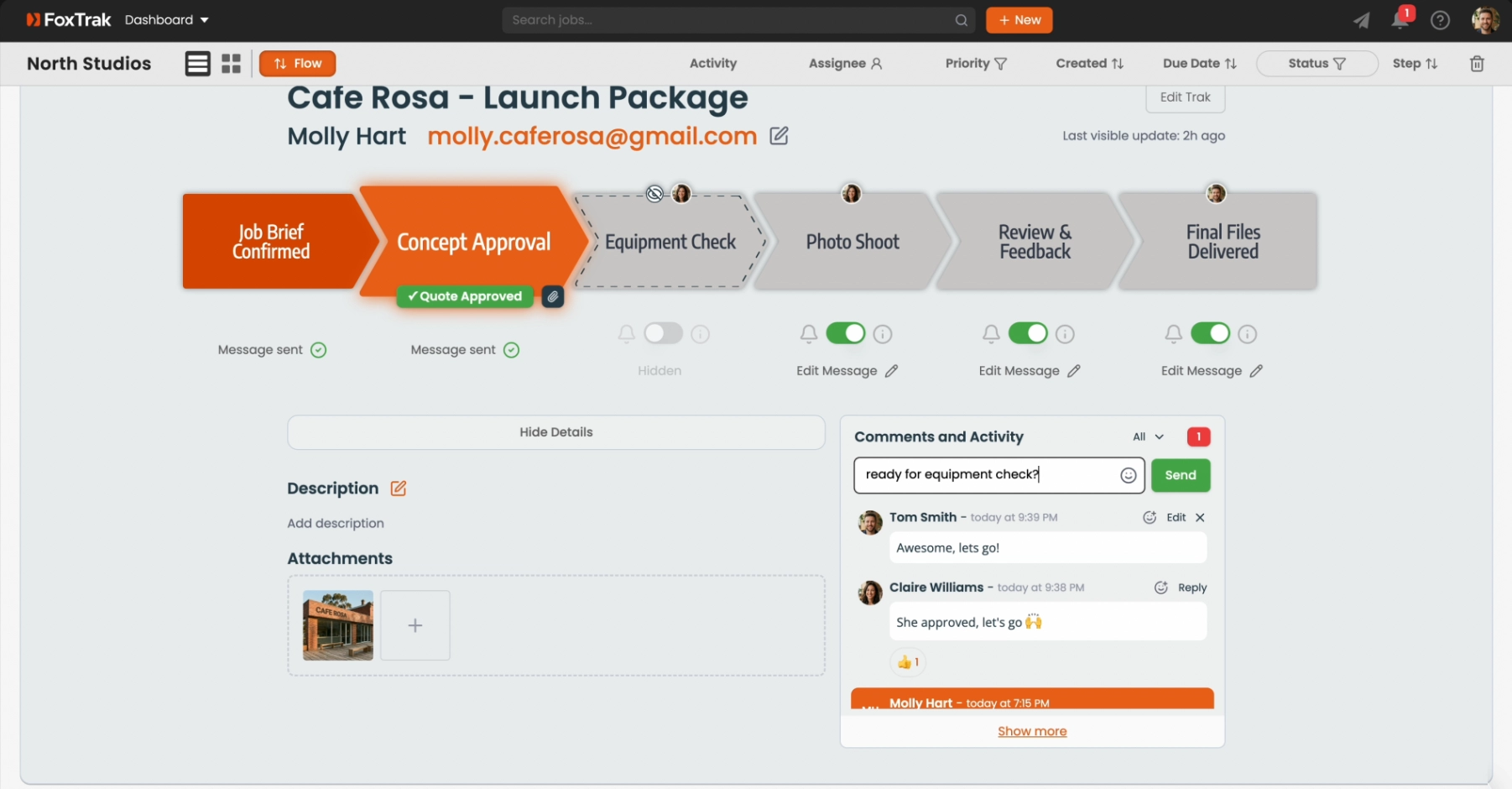
Every job has a built-in team chat in the Comments and Activity tab - so your team can communicate about a job without leaving FoxTrak or switching to another app.
Leaving a comment
- Open a job and go to the Comments and Activity tab
- Type your message in the comment box at the top
- Press Enter or click Send
Comments are visible to all team members with access to the job. Customers never see internal comments.
Mentioning a team member
Type @ followed by a name to mention someone. An autocomplete list appears as you type - select the person to complete the mention. They receive a notification immediately regardless of their other notification settings.
Emoji reactions
Click the emoji icon on any comment to add a reaction. Quick reactions are a lightweight way to acknowledge a message without a full reply.
Editing and deleting comments
You can edit or delete your own comments within 20 minutes of posting. After that, comments are locked.
In-job chat keeps all job-related communication in one place - making it easy to review the full history of what was discussed when you come back to a job later.