Customer Updates
The 10-second cooldown
When you update a step and trigger a customer update, FoxTrak gives you a 10-second window to change your mind before the message is sent.
How it works
- Click a step to update it and send the message
- A 10-second countdown appears with a Cancel button
- Click Cancel within 10 seconds to revert - no message is sent
- After 10 seconds, the step locks as active and the message goes out automatically
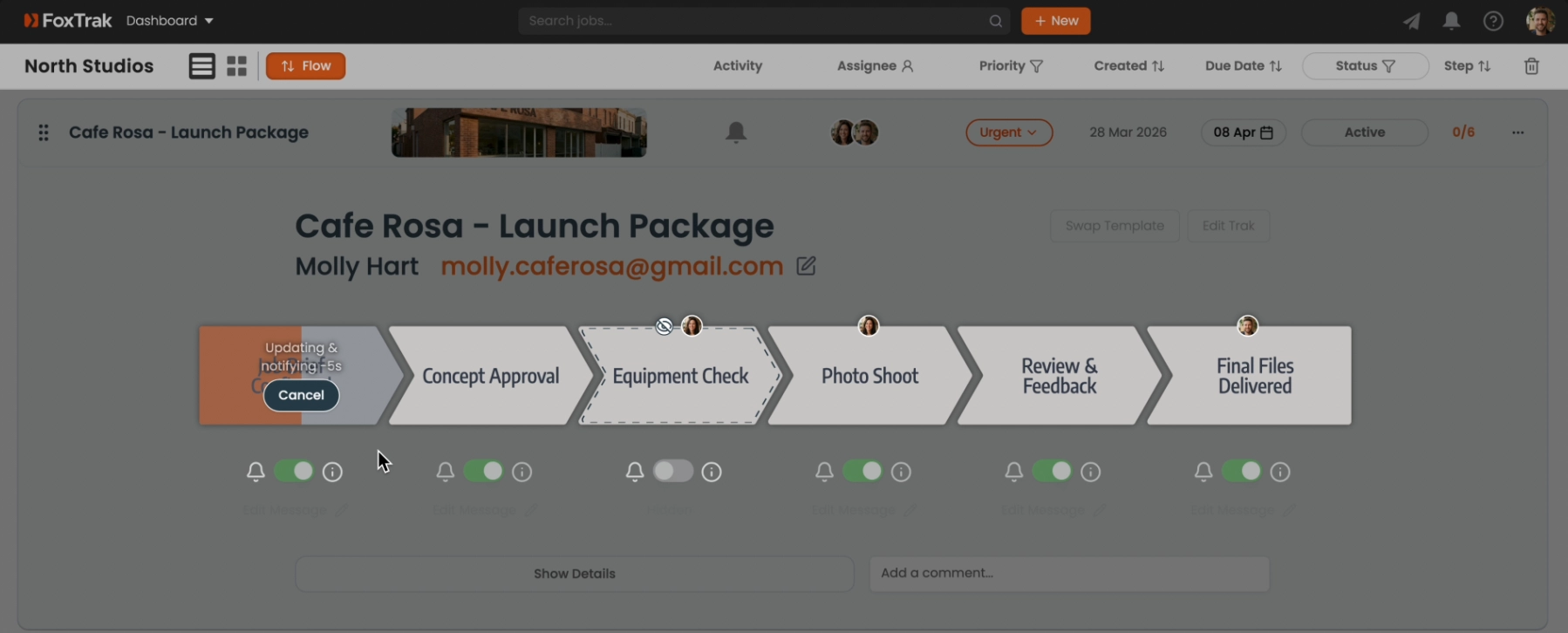
What cancelling does
Cancelling during the countdown reverts the step back to inactive - as if you never clicked it. The customer receives nothing. You can then edit the message and try again.
If the 10 seconds pass and the message goes out, you can't unsend it — so use the cooldown window if you spot a mistake.