How to stop customers asking “where is my job at?”
TL;DR
FoxTrak automatically notifies customers by email, SMS or push notification every time a job progresses - no manual updates needed. Customers get a live tracking page they can check any time from any browser, no login or app required. Service businesses using FoxTrak report customers stopping their check-in messages entirely once they have somewhere to look.
If you run a service business, you know the message.
“Hey, just checking in. Any updates on my job?”
It arrives at the worst possible moment. You’re mid-task, on a ladder, in the middle of a shoot, elbow-deep in a custom order. You stop. You type a reply. You lose your flow. And somewhere, another customer is drafting the same message.
This isn’t a customer problem. It’s a visibility problem. Your customer isn’t being difficult. They’re anxious. They handed over money for something they can’t see being built. Of course they want to know it’s moving.
The question is: what do you actually do about it?
Why the standard advice doesn’t quite work
Search for this problem and you’ll find the same answers everywhere.
Set a communication schedule. Send weekly updates. Manage expectations upfront.
All correct. All worth doing. But they share the same flaw: they put the entire burden on you to remember, to draft, to send, on top of actually doing the job.
Weekly update emails sound great until you’re running five jobs simultaneously and it’s Friday afternoon and the last thing you want to do is write five separate status emails. So you skip one. Then another. Then the messages start coming in anyway.
The real issue isn’t that service businesses communicate badly. It’s that communication is treated as a separate task from the work itself.
The insight that changes everything
Here’s what actually stops the “where is my job at?” messages:
Give customers somewhere to look.
Not a scheduled email. Not a weekly update. A live place they can check themselves, any time, on their own terms, that always shows exactly where things are at.
Think about what happened when parcel tracking became standard for online shopping. Before it existed, people called courier companies constantly. After it existed, nobody calls anymore. The information is just… there. Always current. Always accessible.
Service businesses haven’t had that yet. Your customer books a job and enters a black hole. They have no parcel tracking equivalent. So they do the only thing available to them: they ask you.
FoxTrak gives them somewhere to look. But before we get into that, let’s talk about what actually works regardless of what tools you use.
What actually works: the four things that stop the messages
1. Visibility by default, not by request
The goal is to make progress visible automatically, not when you remember to communicate it, and not only when a customer asks.
Every time something meaningful happens on a job, the customer should know about it without you having to do anything extra. The update should be a byproduct of doing the work, not an additional task on top of it.
This is the fundamental shift. Stop thinking of customer communication as something you do after the work. Make it something that happens as the work happens.
2. Plain language, not internal jargon
If you do share progress with customers, the language matters enormously.
“Refactoring the auth middleware” means nothing to your customer. “Login is now working” means everything. “Awaiting material delivery” is vague and worrying. “Your timber has arrived. We start installation Monday” is clear and reassuring.
The rule: describe outcomes, not tasks. What does this mean for the customer, not what are you technically doing?
3. A live view they can check themselves
There’s a huge difference between pushing updates to customers and giving them a place to pull information when they need it.
Pushed updates like emails, texts, and calls are great but they happen on your schedule. Between those updates, the customer has nothing. If anxiety hits them at 10pm on a Tuesday, there’s nowhere to look.
A live view changes that completely. The customer checks it when anxiety strikes. They see progress. The anxiety dissolves. They don’t send the message.
4. Knowing what happens next
Half of the “any updates?” messages aren’t really asking about current status. They’re asking about the future. When will this be done? What happens next? Am I going to hear from you before you need something from me?
Customers who can see what’s coming next are far calmer than customers who can only see what’s happened so far. Show them the steps ahead, not just the steps behind.
How FoxTrak makes this automatic
I built FoxTrak because I couldn’t find a tool that did all of this without adding more work to my plate.
Here’s how it works in practice:
You build your workflow in steps, whatever makes sense for your business. A photographer might have: Booking Confirmed, Shoot Day, Culling, Editing, Gallery Ready. A painter might have: Quote Approved, Materials Ordered, Prep Day, Painting, Final Inspection, Invoice.
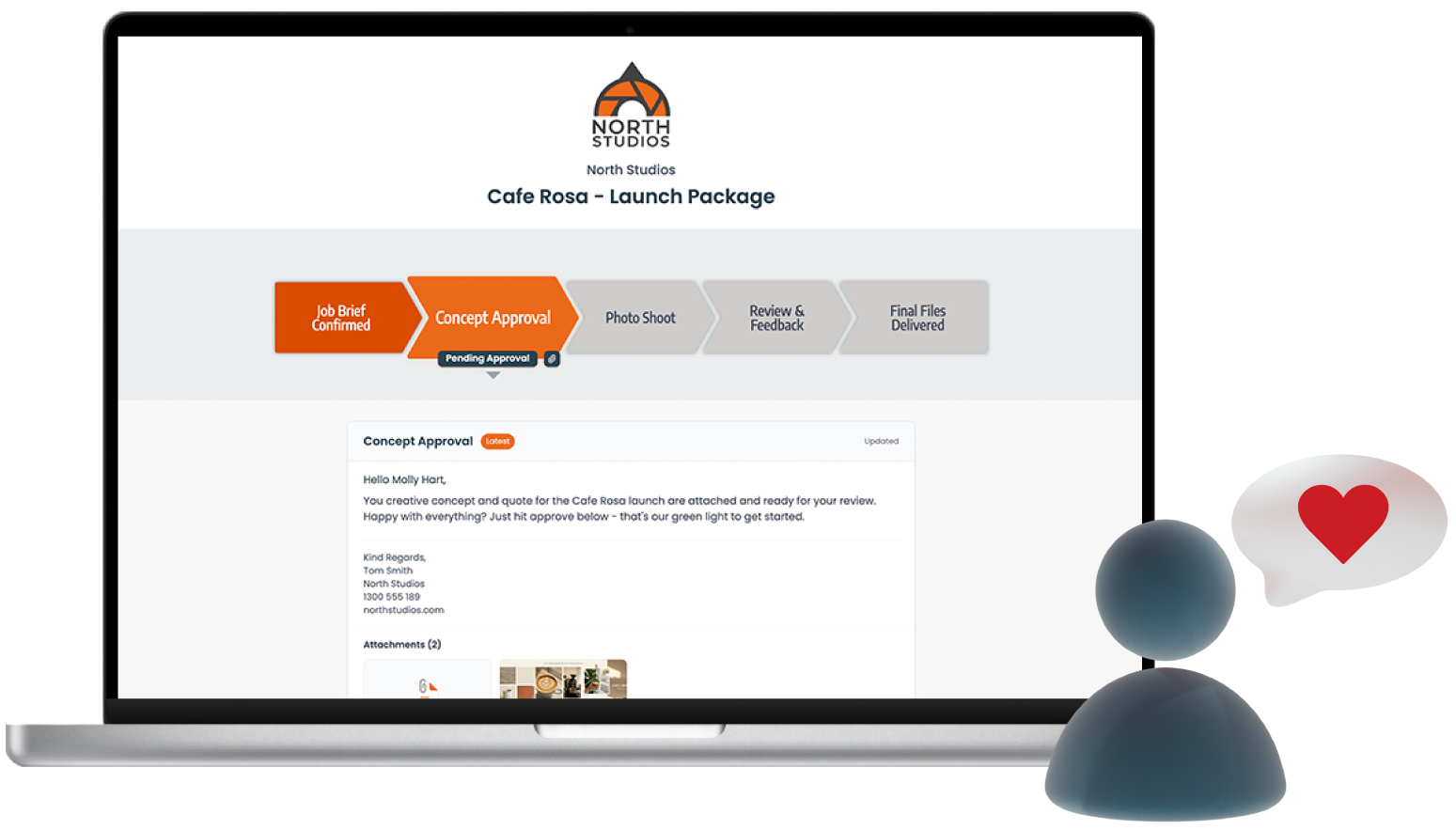
Every job gets its own branded live tracking page. Your customer gets a link, no login, no app required, works on any device. It’s always live, always current.
When you mark a step, two things happen simultaneously: their tracker updates, and they get notified automatically by email, SMS, or push notification. You didn’t write a separate update. You didn’t send a separate email. You just did your job, and the communication took care of itself.
The work is the communication.
Beyond the tracker, customers can approve quotes, pay invoices, and give feedback directly from their tracking page. Your team gets assigned to steps and notified the moment it’s their turn. Team chat, customer messages, approvals, and files all live inside the job, in order, on the record.
The result
A Melbourne painter started using FoxTrak this week on a live job. His customer received their first SMS update today, marking the first step of their job underway.
That customer now has a live tracking page showing exactly where their paint job is at. They can see what’s done, what’s happening, and what’s coming next. They have somewhere to look.
They won’t be sending the message.
That’s what this looks like in practice. Not a communication schedule. Not a weekly email. Just progress, automatically visible, as the work happens.
Getting started
FoxTrak is free to start, no credit card, no time limit on the free plan. You can have your first job live and visible to a customer within minutes of signing up.
If you’d rather see it in action first, there’s a 75-second overview video.
The “where is my job at?” message is a solvable problem. You just need to give your customers somewhere to look.
Frequently asked questions
Why do customers keep asking for job updates?
Because they have no visibility into progress. Customers ask when they have nowhere else to look. The fix isn’t more communication. Give them a live view they can check themselves.
How do I stop clients sending “just checking in” messages?
Give them a live tracking page that shows exactly where their job is at, updated automatically as you work. When customers have somewhere to look, they stop asking.
What’s the best app for keeping customers updated on job progress?
FoxTrak gives every job a branded live tracking page your customer can see in real time. Mark a step, they’re notified instantly. No manual updates needed.