How FoxTrak works for customers: just a link, no login required
TL;DR
When a business creates a job in FoxTrak, the customer gets a link. They tap it and see a live tracker straight away, no account, no password, no app to download. From that same page they can check progress, see photos, approve work, pay invoices, and leave feedback. An iOS app is available too, but it’s optional, never required.
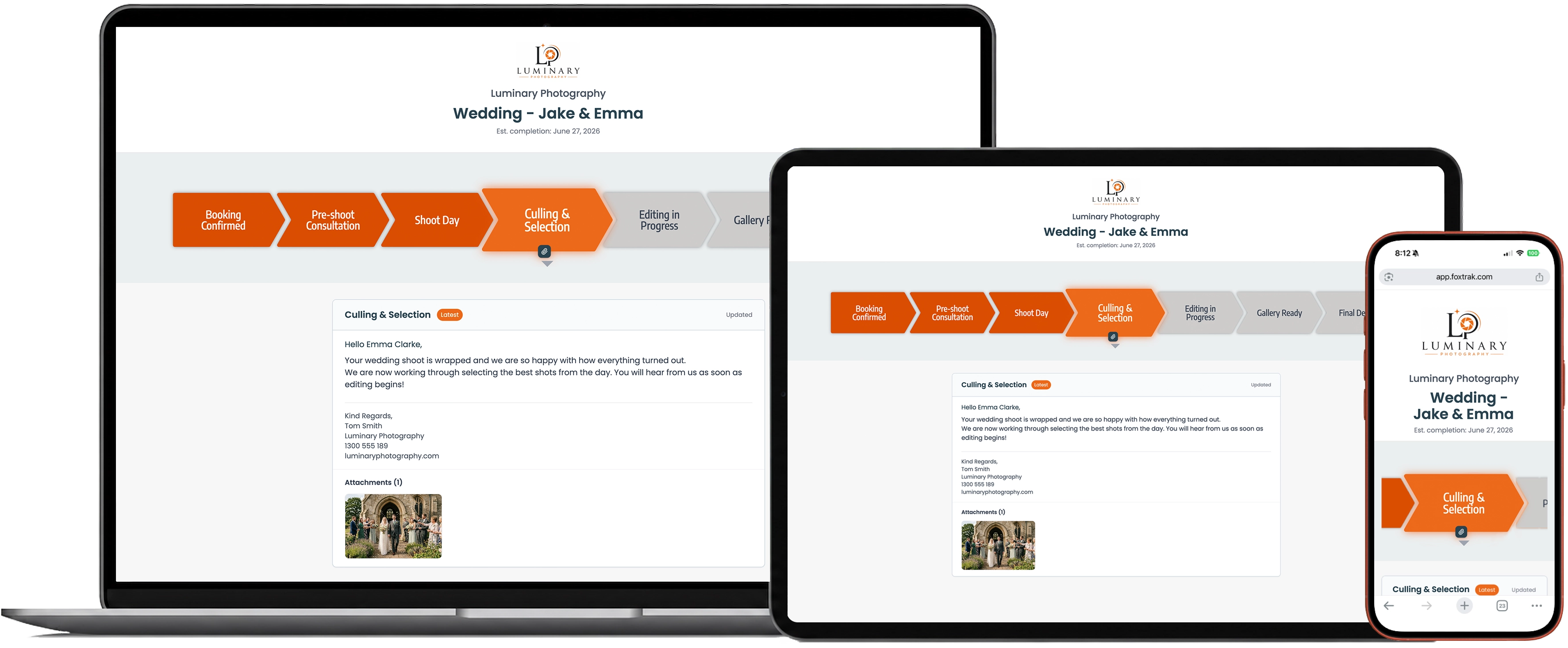
When a business creates a job in FoxTrak, the customer gets a link. They tap it and see a live tracker straight away, no account to create, no password to set, nothing to download. Whatever device they’re holding, phone, tablet, laptop, it just opens.
That’s the whole customer experience. One link, always current.
Why a link beats a login
Every extra step between a customer and the information they want is a chance for them to give up and ask you directly instead. A signup form. A password to choose and then forget. An app to find, download, and open just to check one job.
Each of those steps feels small on its own. Together, they’re often the reason a “visibility” tool ends up adding more friction than it removes, and the customer goes back to texting the business directly because that was faster than logging in anywhere.
A link skips all of it. There’s nothing to set up and nothing to remember. The customer taps it, and they’re looking at the job.
How it actually works
What the customer sees on that page is a live tracker: every step of the job laid out, the current stage highlighted, any messages or photos the business has attached right there. As the job moves forward, the page updates itself. No refreshing, no checking an email for the latest version, the same link always shows the current status.
The customer gets sent that link when the job kicks off. After that, every time the business moves the job to its next step, the tracker updates on its own and the customer gets notified again, with the same link included. There’s never an old text or email to go digging back through to find it.
From that same page, customers can approve a quote, pay an invoice, or leave feedback on a finished stage. Nothing happens in a separate app or a different email thread. The tracker is the job, not a summary of it.
What about the iOS app?
FoxTrak does have a customer app, and some people prefer it, particularly customers tracking multiple jobs at once or who like push notifications arriving the same way their other apps do. But it’s an enhancement, not a requirement. Nobody needs to install anything to use FoxTrak as a customer. The link works on its own, fully, every time.
Why this matters more than it sounds like it should
The businesses that get the most out of FoxTrak aren’t the ones with the most features turned on. They’re the ones whose customers actually open the tracker, because nothing stood between them and seeing it.
A login screen is a small thing. It’s also exactly the kind of small thing that decides whether a customer checks their job’s progress or picks up the phone to ask about it instead. Removing it isn’t a nice-to-have. It’s the difference between a tool customers actually use and one they quietly avoid.
Getting started
FoxTrak is free to start, no time limit on the free plan. Set up your first job, send the link, and your customer is looking at a live tracker within seconds of opening it. No app, no login, no excuses not to check.
Frequently asked questions
Do customers need to create an account to use FoxTrak?
No. Customers receive a link by SMS, email, or push notification and open it directly. No account, login, or password is required to view or use the tracker.
Does the customer need to download an app?
No. The live tracker works fully in a browser on any device. An iOS app is available for customers who want it, but it’s optional, never required.
What can a customer do from their tracking page?
They can check job progress at any time, see photos and messages attached to each step, approve quotes, pay invoices, and leave feedback, all from the same link.
Do I need to find my original link again to check updates?
No. Every time the job moves to its next step, you’re notified again with the same link included. There’s no need to search back through old texts or emails to find it.